First Workspace
A workspace is the core operational foundation of RAGA.
All AI interactions—ranging from chat and data analysis to agentic workflow execution—always occur within a workspace context.
This document explains what a workspace is, why it matters, and how to get started with your first workspace.
What Is a Workspace
In RAGA, a workspace is an isolated and curated AI working environment, functioning as a containerized intelligence environment.
Each workspace includes:
- AI model configuration
- knowledge sources
- a dedicated system prompt
- role-based access control
This approach ensures that AI always operates within the correct, secure, and consistent context.
Why Workspace Matters
Without workspaces, AI would:
- lose context
- produce inconsistent outputs
- risk violating security boundaries
Workspaces ensure:
- Single Source of Intelligence per operational context
- Consistency of Output across users
- Governance & Auditability from day one
In RAGA, AI never runs “freely” — it is always bound to a workspace.
Workspace After First Login
After the first login, users are redirected to the Chat view, which displays the list of workspaces accessible based on their role.
Chat Page

Workspace Search
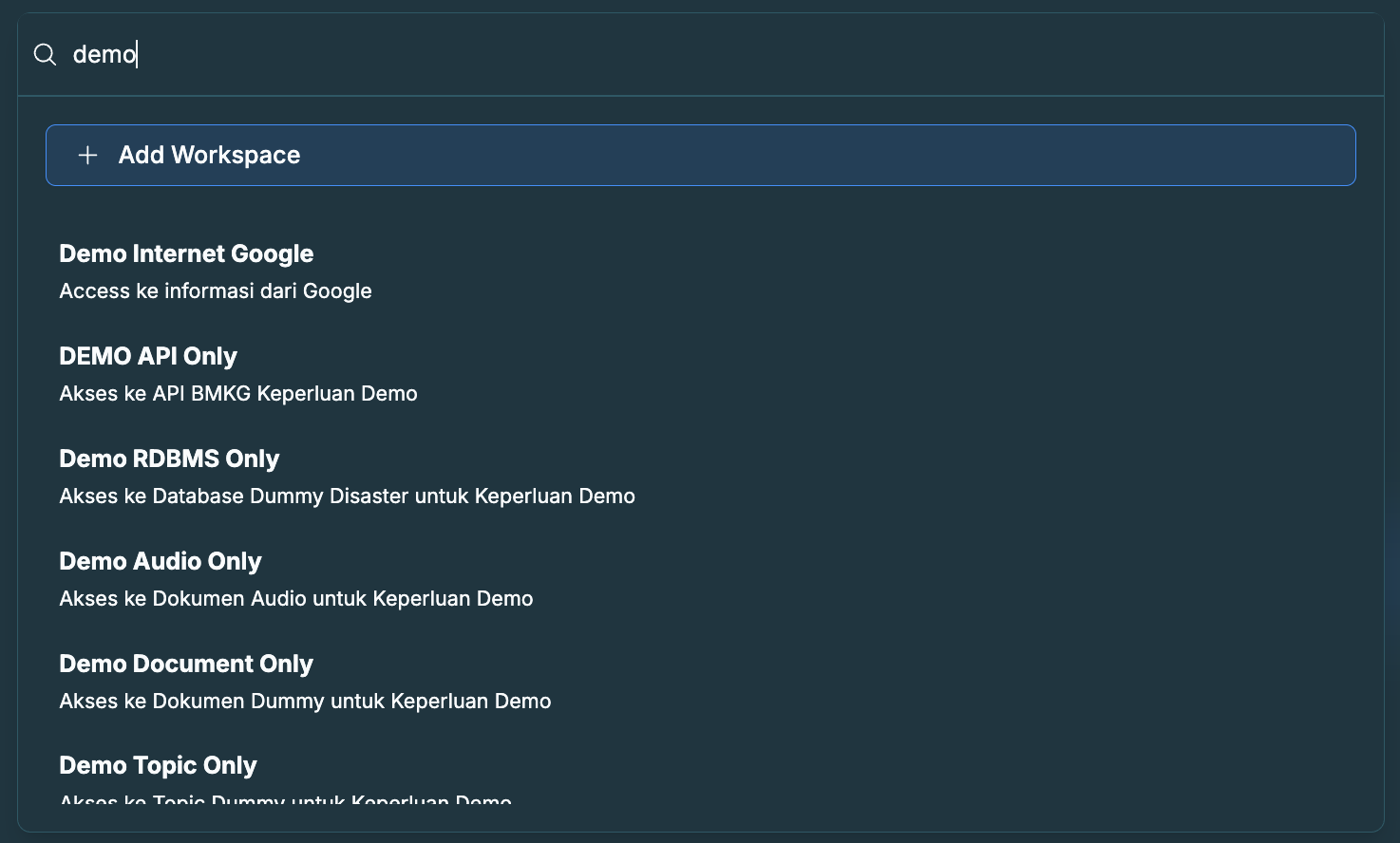
Creating or Accessing Your First Workspace
⚠️ Important note
Workspaces are created and managed by Administrators or users with specific permissions.
As a user:
- You access workspaces assigned to you
- Not all users are allowed to create new workspaces
Workspace Structure Overview
Each RAGA workspace consists of several core components.
Workspace Configuration
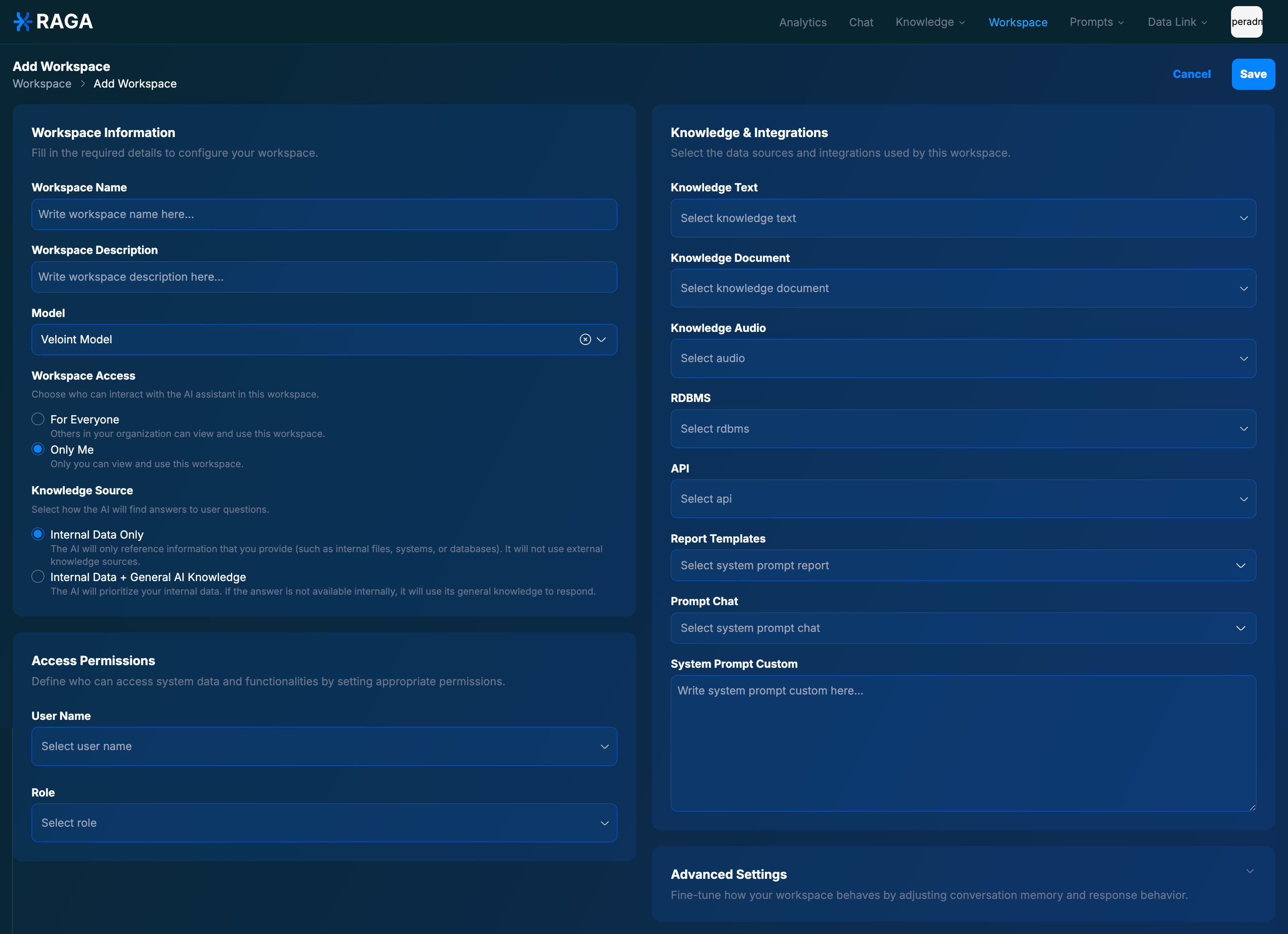
Core Components
AI Model Configuration
Defines which LLM or AI model is used within the workspace.Knowledge Integration
Documents, audio, APIs, and databases that serve as intelligence sources.System Prompt
Persistent instructions that govern AI behavior within the workspace.Access Control
Users and roles authorized to access the workspace.
Entering a Workspace
When you select a workspace:
- The system loads the workspace configuration
- The AI context is initialized
- You are redirected to the Chat Room as the primary interaction area
First Interaction Inside a Workspace
Within a workspace, you can:
- Ask questions using natural language
- Upload documents or audio
- Generate automated reports
- Run agentic tasks (if permitted)
All AI responses:
- Reference the workspace’s knowledge
- Follow the system prompt
- Are recorded in the audit log
Workspace Isolation & Security
Each workspace is logically isolated:
- Knowledge does not mix across workspaces
- Conversations do not cross contexts
- Access is strictly role-controlled
This allows:
- Multiple teams to use RAGA in parallel
- No risk of data or context leakage
Best Practices for Your First Workspace
- Use 1 workspace = 1 operational context
- Do not mix knowledge across domains
- Define a clear system prompt from the start
- Review user access regularly
A well-structured workspace produces precise and trustworthy AI output.
Summary
The workspace is the heart of RAGA.
With your first workspace:
- AI operates within the correct context
- Knowledge is curated and controlled
- Security and governance are enforced from the beginning
In RAGA, the quality of intelligence is determined by the quality of the workspace.